 Tally
For students whose school uses Canvas
Know where you stand. Know what's next.
Every grade, due date and reminder for your classes, in one fast, private app. Widgets, Shortcuts and a What-If grade calculator are built in.
For iPhone. Screens show fictional sample data.
What you get
Your whole term, at a glance.
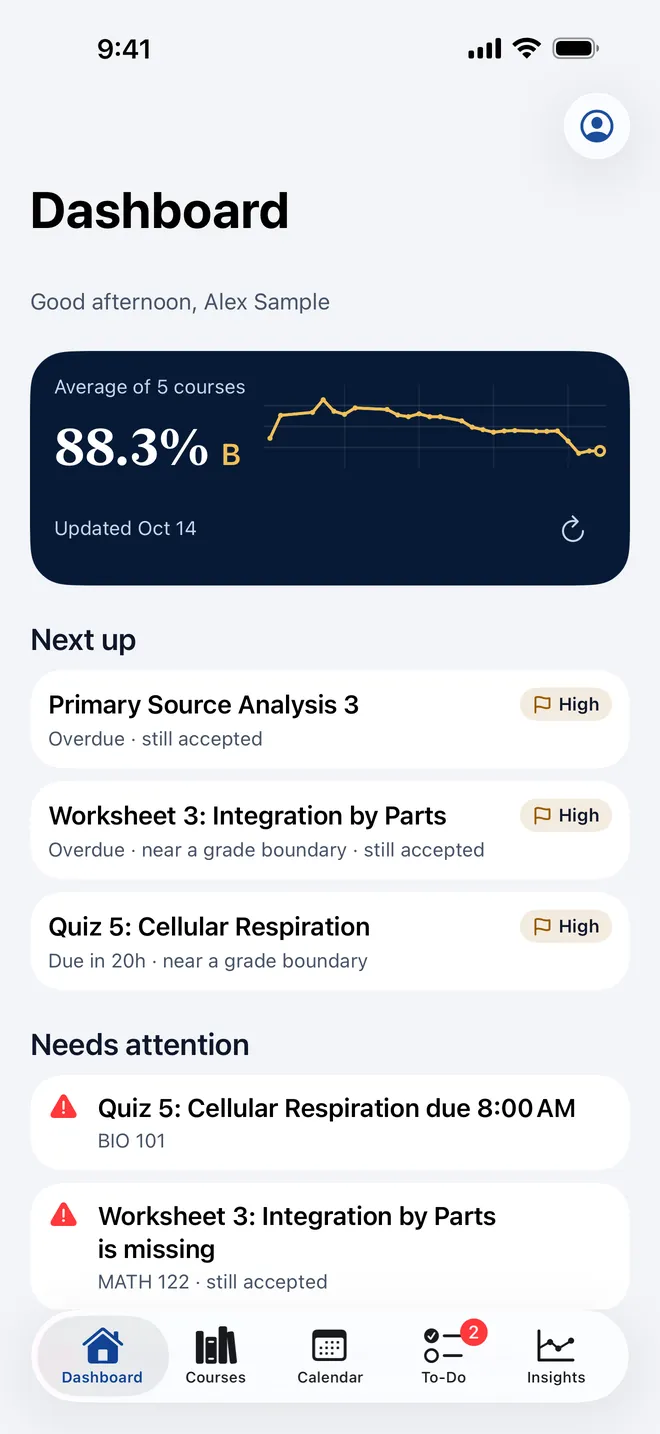
Tally reads your grades, assignments and due dates from your school's Canvas account and lays them out on your iPhone, so one look answers two questions: how am I doing, and what's next? The Dashboard shows your overall standing and its trend. Next up puts the most important work first, and Needs attention flags anything missing or overdue.
Courses
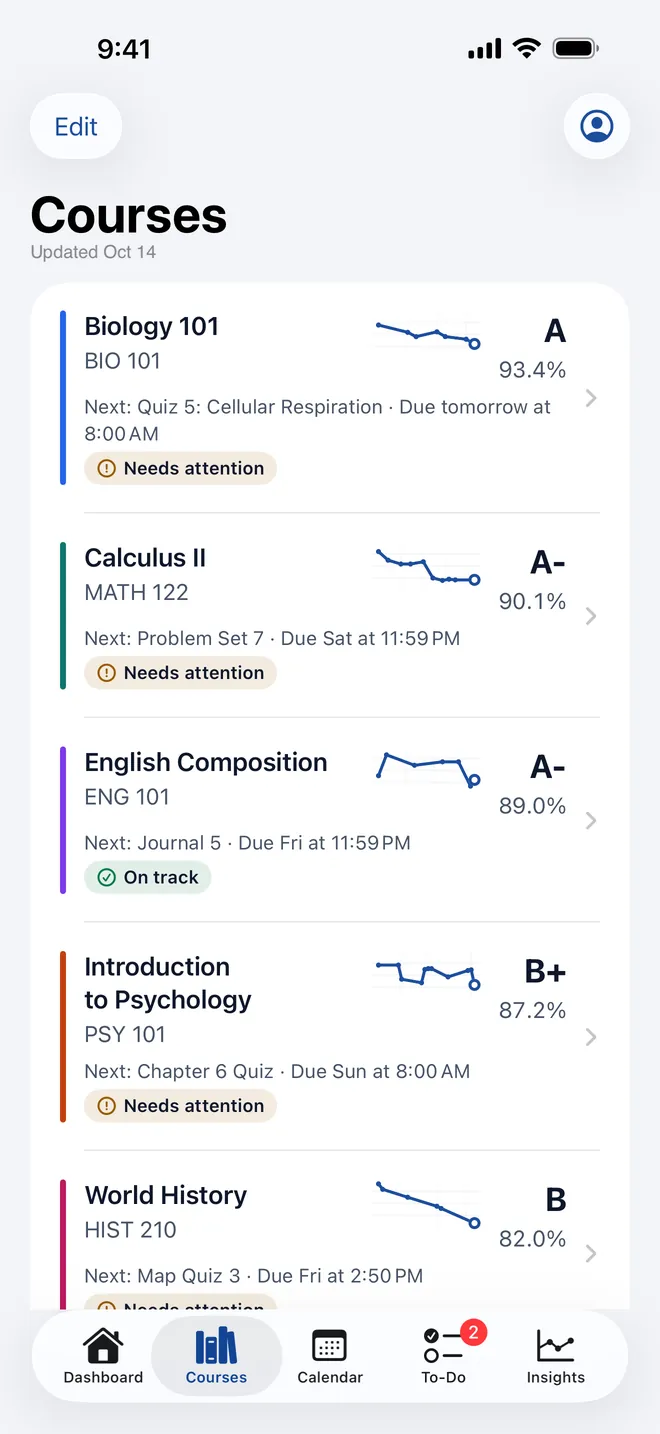
Every class, with its own trend.
Each course shows its current grade, a trend, and what's due next.
Course detail breaks the grade down by category and weight, following Canvas's own grading rules.
What-If
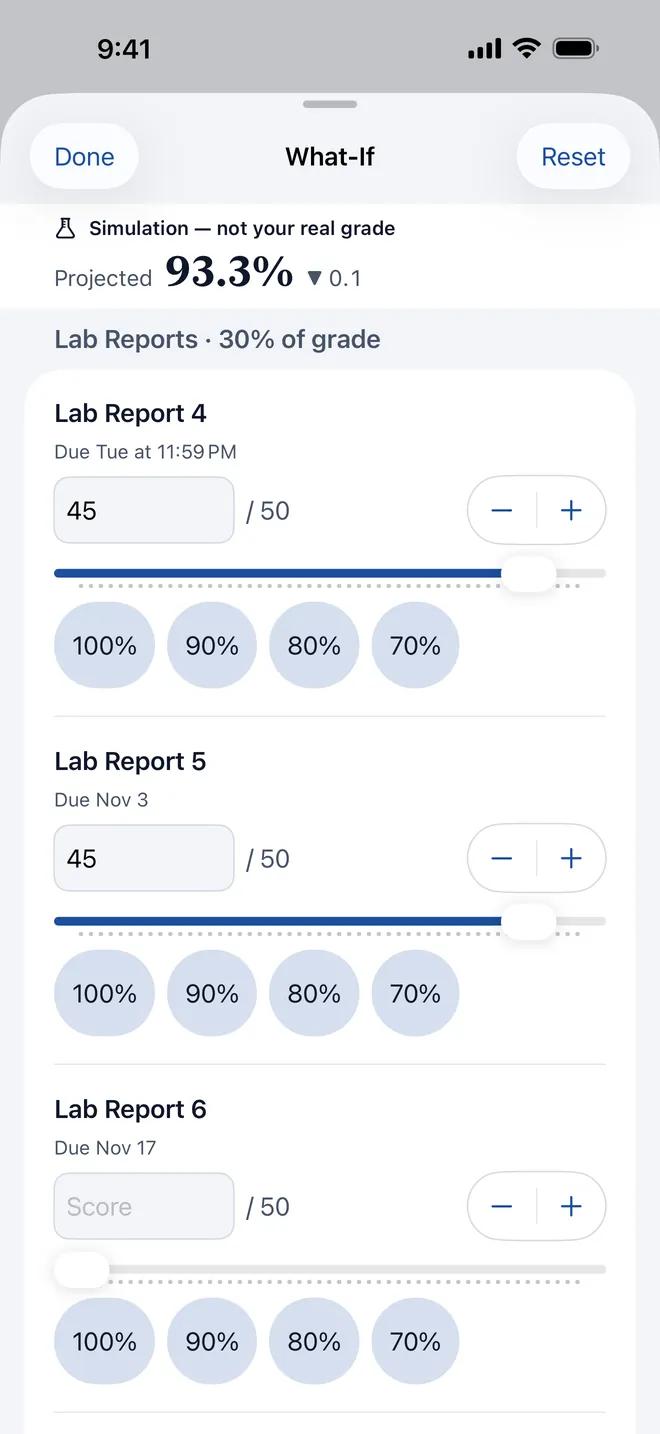
See what you need on what's next.
Try scores on upcoming work and watch your projected grade change.
What-If never changes anything in Canvas. It's a calculator on your iPhone, clearly marked as a simulation.
To-Do and Calendar
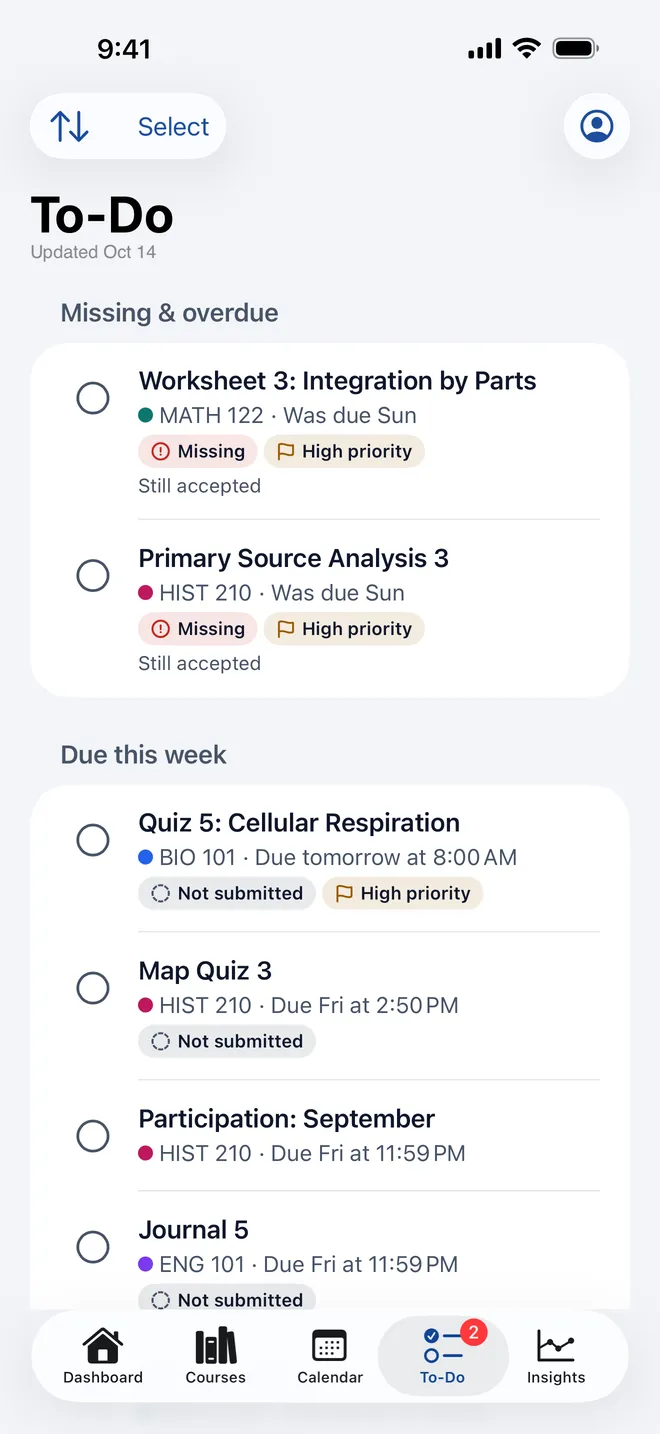
Everything due, in one list.
Work from every course in one place, with missing and overdue items first and a clear note when late work is still accepted.
Add any assignment to your iPhone's Calendar with one tap. Or subscribe to your Canvas calendar feed so it stays current on its own.
Insights
See the term, not just today.
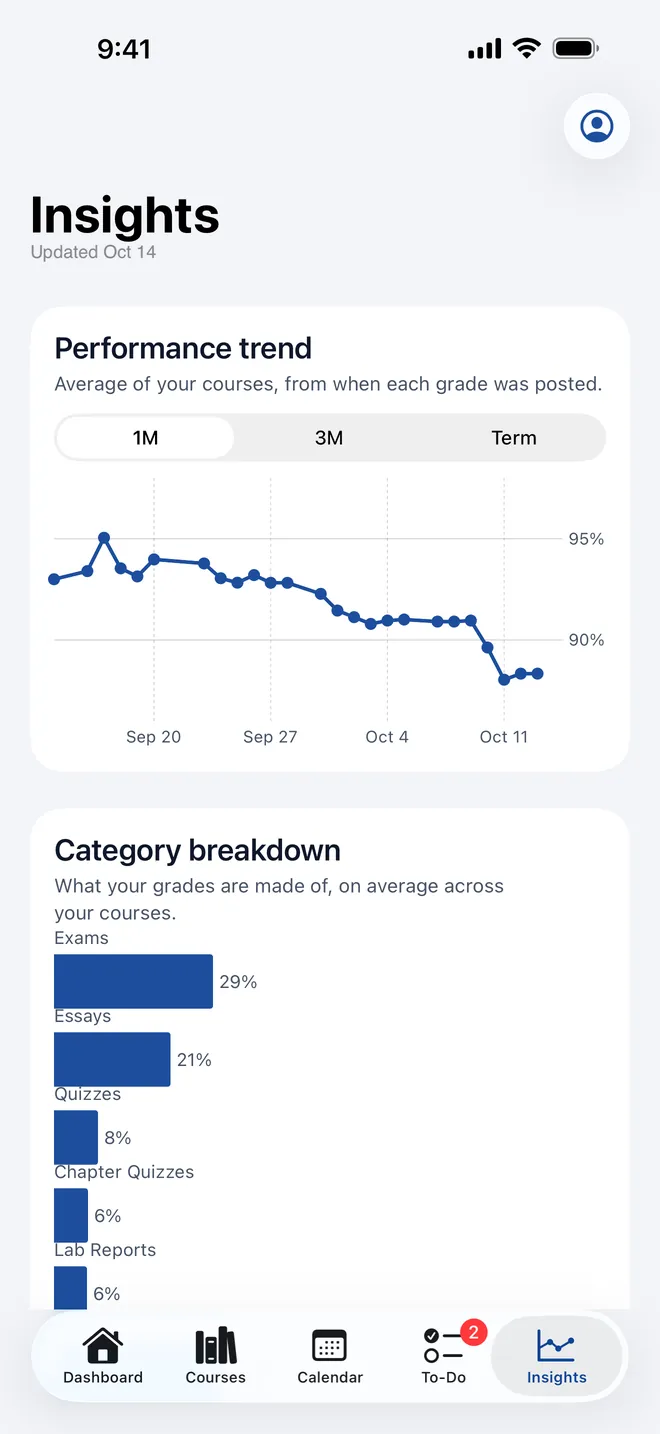
Your performance trend over a month, three months or the whole term, plus what your grades are made of.
A week-ahead view shows what's coming.
Beyond the app
Right where you already look.
Reminders
A notification a day before and an hour before each deadline, by default. Notifications never show grades.
Widgets
Home Screen and Lock Screen widgets for what's next, due soon and the week ahead, with a one-tap "mark done." Grades appear only if you turn them on.
Shortcuts and Siri
Ask what's due, or add a Tally shortcut to your day.
Dark mode and large text
Designed for dark mode, and readable up to the iPhone's largest text sizes, with VoiceOver support.
Privacy
Private by design.
Your Canvas information goes from your school's Canvas straight to your iPhone. It's encrypted there and replaced each time Tally refreshes, and it's never sent to us or anyone else.
- You sign in on your school's own Canvas page, and Tally never sees your password.
- Optional App Lock with Face ID.
- Settings → Sign Out & Erase removes everything Tally keeps on your iPhone.
- No ads and no data sales, ever.
Read the full Privacy Policy.
Pricing
One simple plan.
$9.99 per year
Includes a free 2-week trial for new subscribers. After the trial, it renews automatically at $9.99 a year unless you cancel first in Settings → [your name] → Subscriptions.
You can explore every screen with fictional sample data before you sign in.
For schools
Works with Canvas LMS.
Your school's Canvas administrator has to enable third-party access for your school, and not every school has yet.
Tally is read-only: it never changes coursework or grades.